How to contact us with your account info
When you need help or want to share a suggestion, ScanTicket makes it easy to send a message that automatically includes your account's technical information. This helps us respond to you faster.
Why include system information?
System information allows us to:
- Identify your account: Quickly find your profile and history
- Diagnose issues: Know your app version, device model and iOS version
- Resolve faster: Skip preliminary technical questions
Steps to contact us
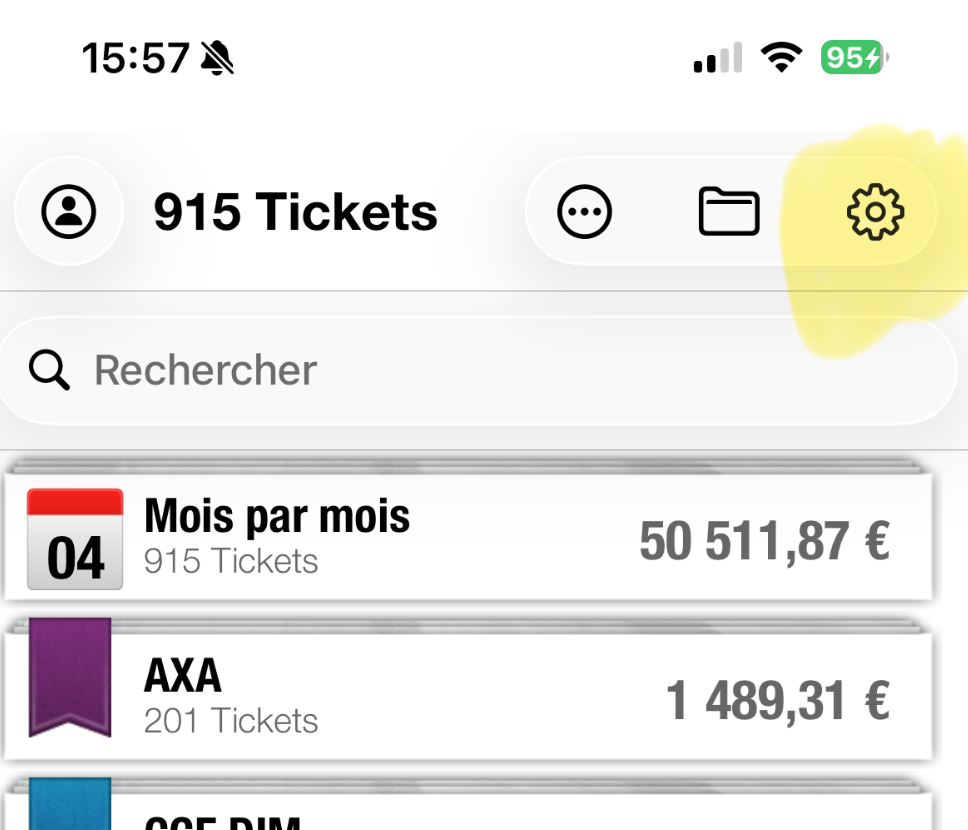
Step 1: Open Settings
From the main screen of the app, tap the Settings icon (gear) located in the top right corner of the screen.
Step 2: Find the Feedback section
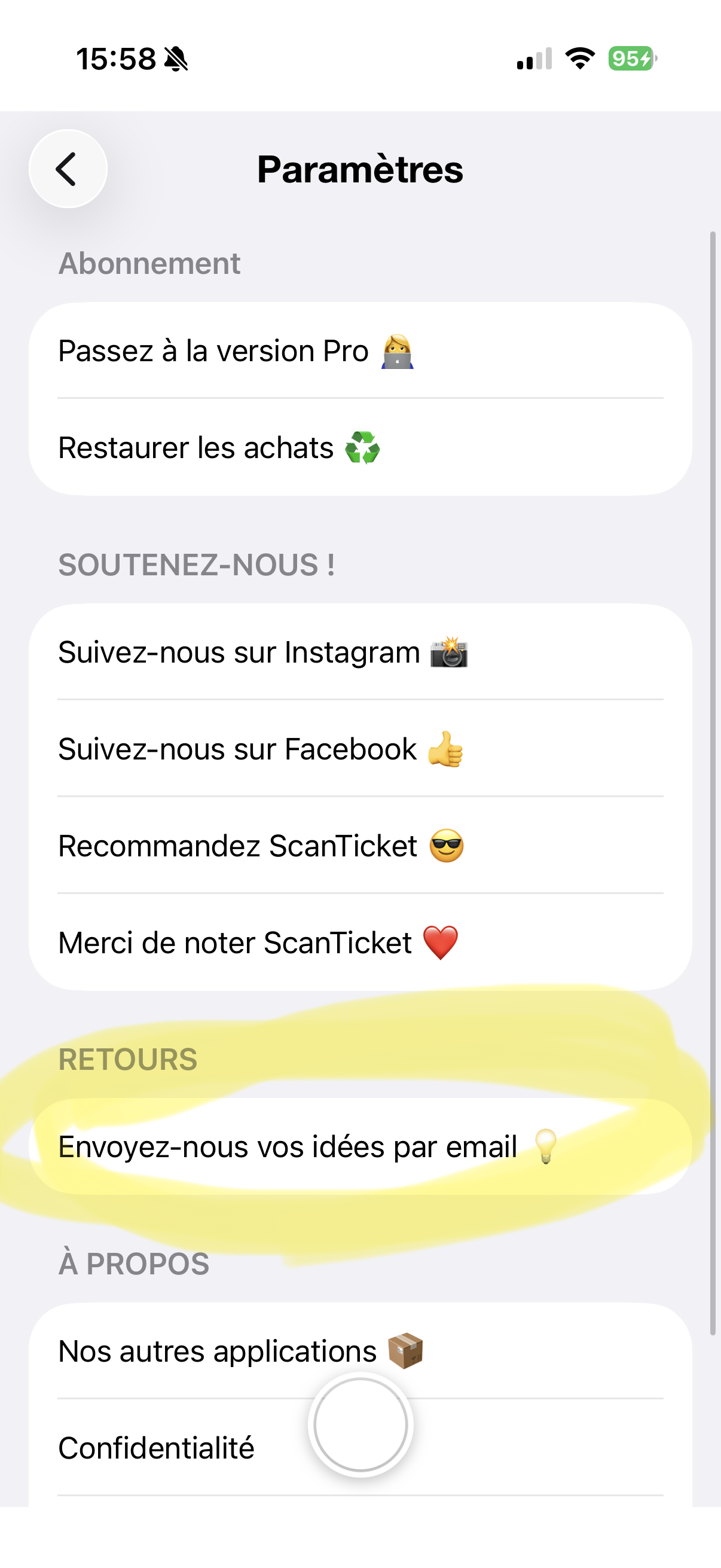
In the Settings screen, scroll down to the "FEEDBACK" section.
Step 3: Send your message
Tap "Send us your ideas by email". Your email app will open with a new pre-filled message automatically containing:
- Your account identifier
- The installed ScanTicket version
- Your device model
- Your operating system version
Step 4: Write your message
Add your question, report an issue or share a suggestion. The technical information is already included, you just need to describe your request.
Step 5: Send it!
Tap the send button in your email app. Our team will respond as soon as possible.
Tips for effective support
- Describe the problem in detail: Explain what you were doing when the problem occurred
- Add screenshots: If possible, attach images to illustrate the issue
- Be specific: Indicate if the problem happens every time or randomly